Using the AI front desk
The AI front desk answers new inquiries from your web form and email. We set it up with you during onboarding, and it only goes live once you approve how it replies. This guide covers what you’ll do day to day.
Step by step
Agree the rules with us
During onboarding we go through which replies it may send on its own (for example, offering open time windows), which it should draft for you, your service area, any prices it may share, and who gets urgent alerts.
Approve drafts
Anything outside the agreed rules, like a price question or a request from outside your area, becomes a draft. Drafts reach you in the place we set up together (for example your inbox or an approvals list). Read it, edit if you like, and send. Until you approve, nothing goes out.
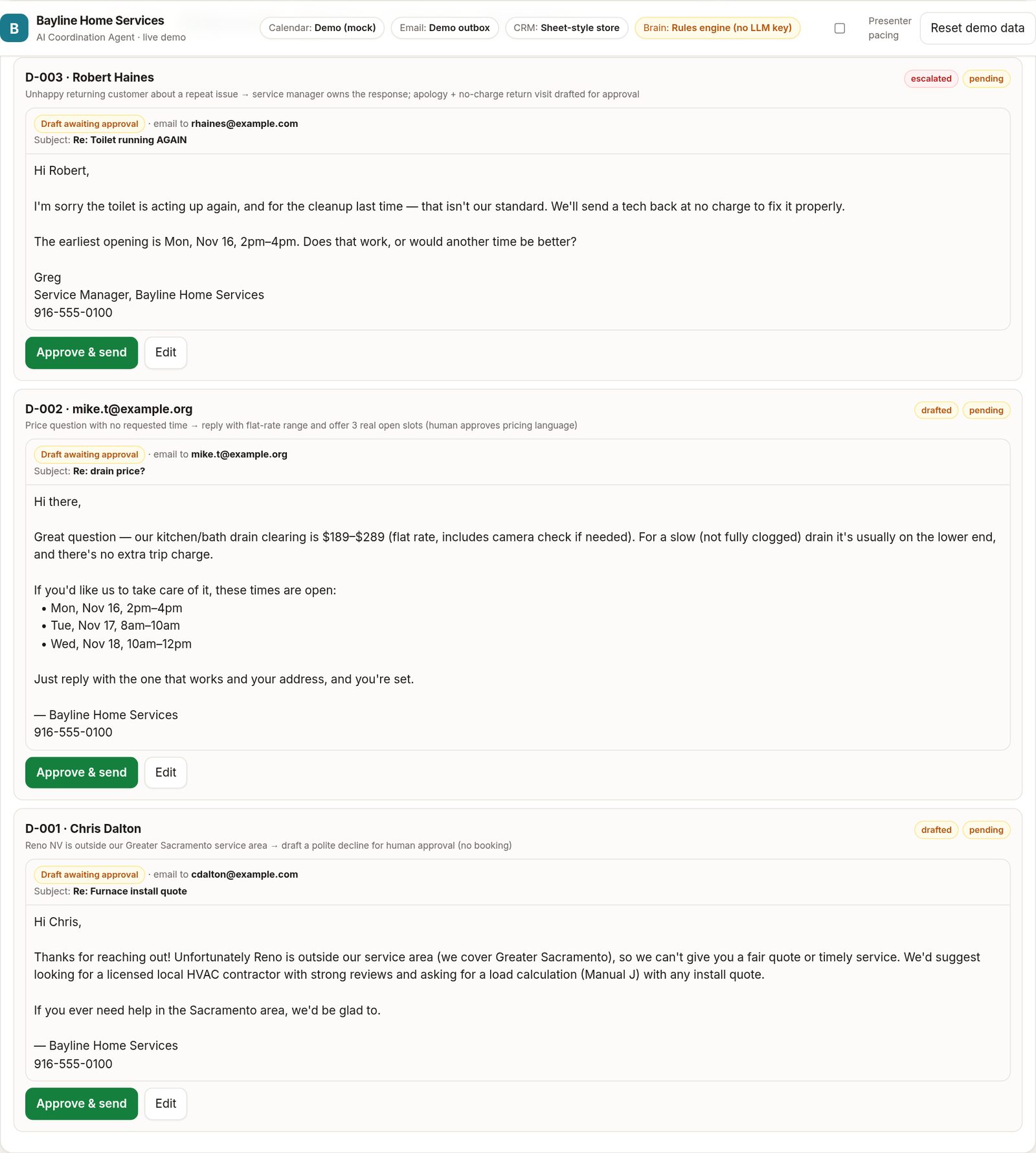
Drafts waiting for approval in the demo, each with Approve & send and Edit buttons. From the live demo: Bayline Home Services is a fictional company and all names and numbers are sample data. See bookings (Run)
On Run, the front desk books open windows straight into your Google Calendar, with the customer’s details and notes, and emails the customer a confirmation. On Respond it doesn’t book; it offers times or drafts a reply for you.
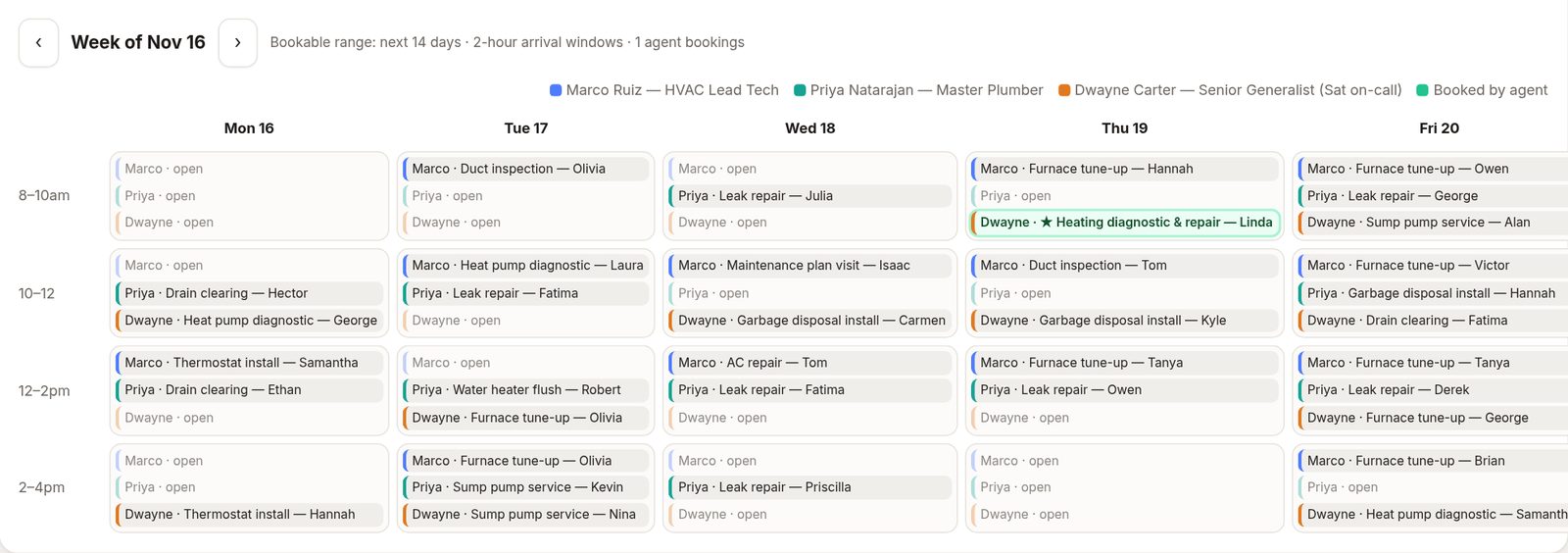
A week of technician calendars in the demo, with an agent booking highlighted. From the live demo: Bayline Home Services is a fictional company and all names and numbers are sample data. Know what it escalates
Emergencies (gas smell, carbon monoxide, flooding, sparking or burning smells), unhappy customers and complaints, and anything it isn’t sure about go to a person right away. Safety messages use wording you approve in advance; it never tries to handle these alone.
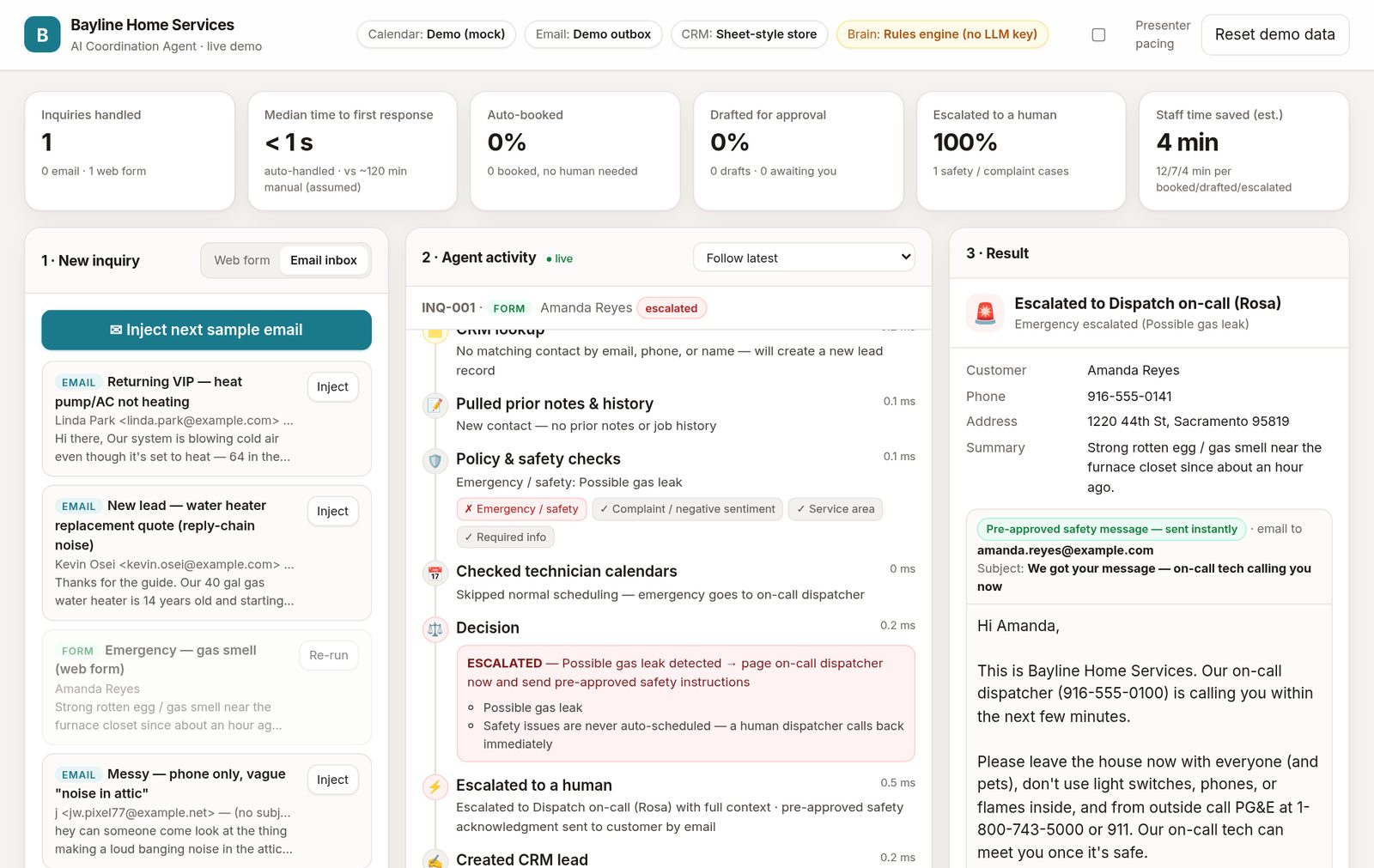
A gas-smell inquiry in the demo, escalated to the on-call person with a pre-approved safety message. From the live demo: Bayline Home Services is a fictional company and all names and numbers are sample data. Read your monthly report
Each month you get a plain-English report from the front desk’s own log: inquiries handled by source, how quickly each got a first reply, what happened (booked, drafted or escalated), bookings made, and anything still waiting on you.
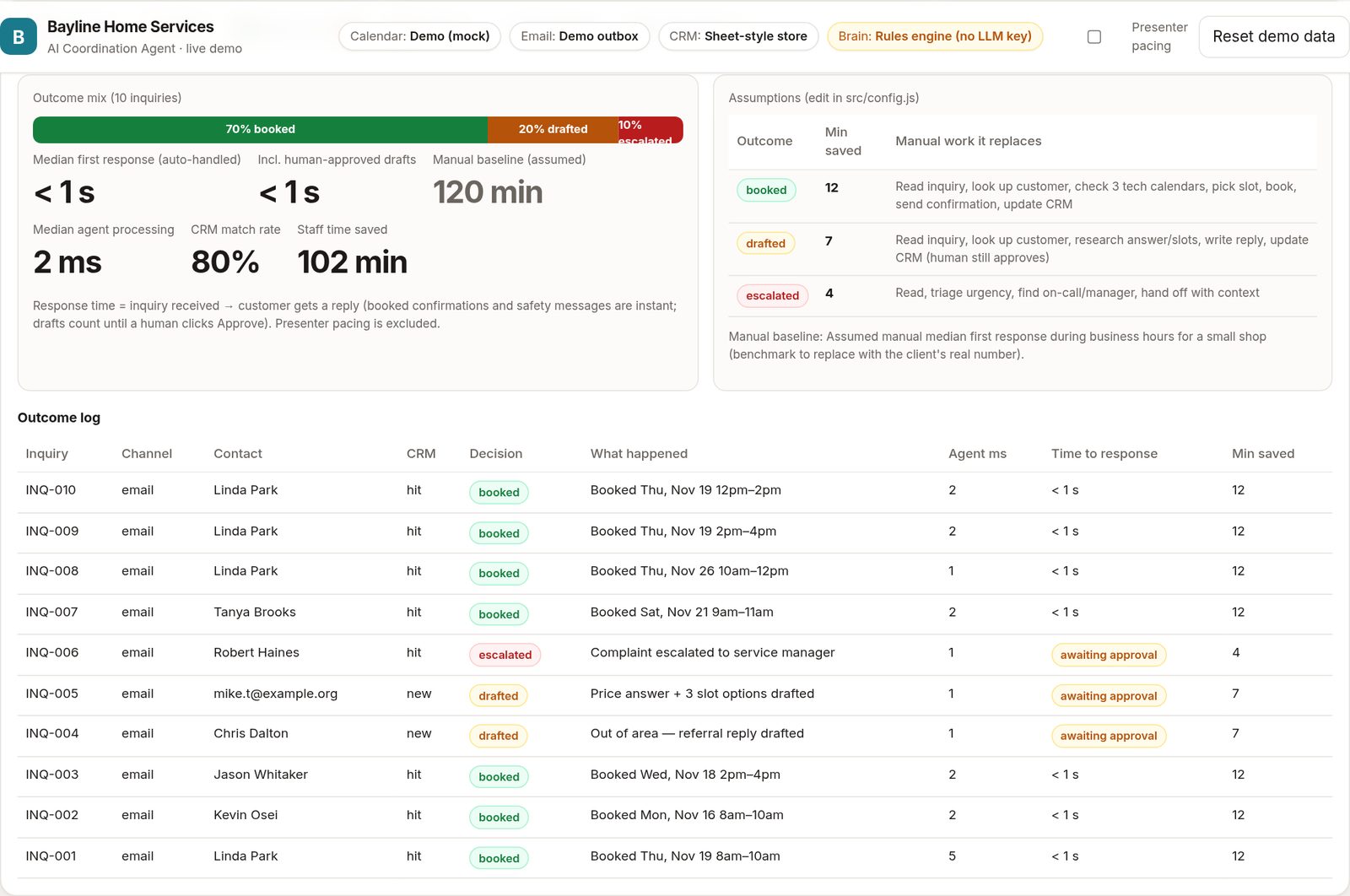
The outcomes view in the demo: outcome mix, response times and a log of every inquiry. From the live demo: Bayline Home Services is a fictional company and all names and numbers are sample data. Tell us when things change
New technician, new hours, holiday closures, a price change or a new service area: email us and we update the rules, usually within 1 business day.
Next guide: Getting started after purchase
The intake form, what happens from day 0 to day 30, and who does what.